Player wiki
GIGAWATT Player Wiki
A practical guide to building, powering and leasing out an AI datacenter from 2020 to 2028.
GIGAWATT is a tycoon game about the whole AI hardware stack: you buy real GPUs, NICs and switches from a catalogue of 690+ parts and 100 vendors, design server trays and racks, power and cool a hall, wire a fabric into a supercomputer, and lease capacity to customers who train and serve models. The campaign runs December 2020 to December 2028 and ends with a scored report covering net worth, reliability and scale.
If you are not sure what to do first, read Getting started, then follow Your first hour step by step. Every other page digs into one system of the game.
The wiki
Basics
- Getting started — install, first launch, modes, the HUD, the eight drawers, camera, saves
- Your first hour — a guided walk from an empty hall to your first revenue, following the Learning path
Building the plant
- Power and cooling — transformers, UPS and generators, PUE, CRAH, RDHx, DLC and chillers, and why heat caps everything
- Servers and racks — trays, rack density, the Design Lab, validation and spares
- Networking and clusters — scale-up vs scale-out, fabrics, oversubscription and the Supercomputer screen
Selling capacity
- Customers and contracts — training vs inference offers, fit verdicts, the Easy Path, SLAs, renewals and the ramp window
- Energy and the spot market — PPAs, take-or-pay, spot power and selling idle GPUs
See and customise
- See it in action — short looping clips of the loop, the rack showroom and the cabling
- Make it yours — floors, rack finishes, walls, light, accent colour and UI themes
Settings and performance
- Performance and settings — graphics presets, device layouts, 3D resolution, Steam Deck, laptops with two GPUs, troubleshooting
Running the business
- Money and operations — cash, loans, depreciation, staffing, hardware lifecycle and the Operations screen
- Hardware roadmap — keynotes, pre-orders, lead times, allocation and when to buy
- Incidents and resilience — fires, chiller trips, supply shocks, defaults and how to prepare
Reference
- Strategy tips — habits of successful operators
- FAQ — fifteen common questions, answered
- Glossary — forty-one datacenter terms in one line each
Where things live in the game
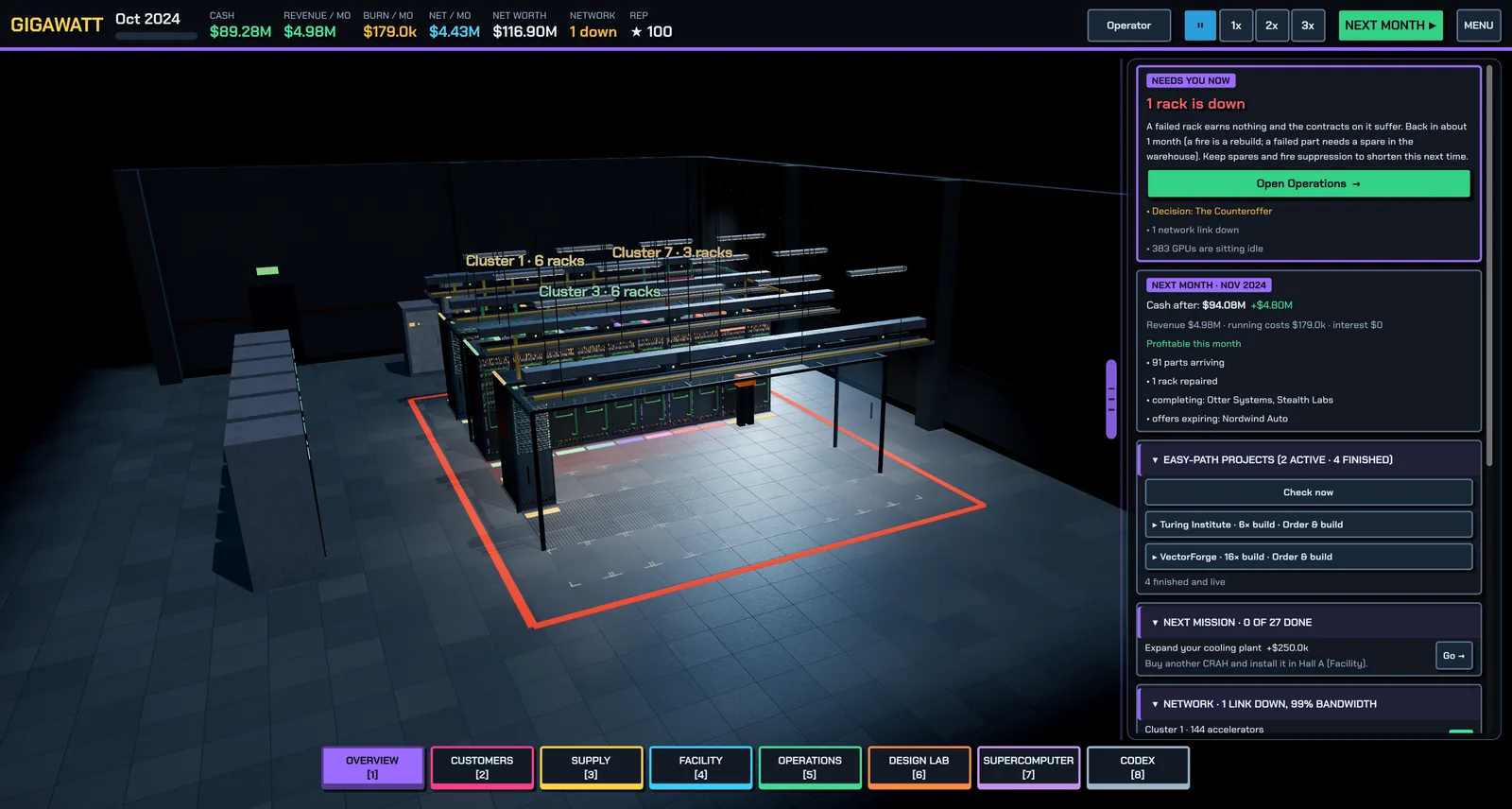
The bottom dock has eight buttons: Overview (the 3D hall), Customers, Supply (Procure and Warehouse), Facility (Build and Energy), Operations, Design Lab, Supercomputer and Codex. The Codex inside the game also has a "Datacenter 101" view that tells you, live, whether you need each concept right now — when this wiki and the Codex disagree, trust the Codex, because it can see your hall.
Ready? Start with Getting started.
Found a mistake or something missing? Edit this page on GitHub or ask in Discussions.